
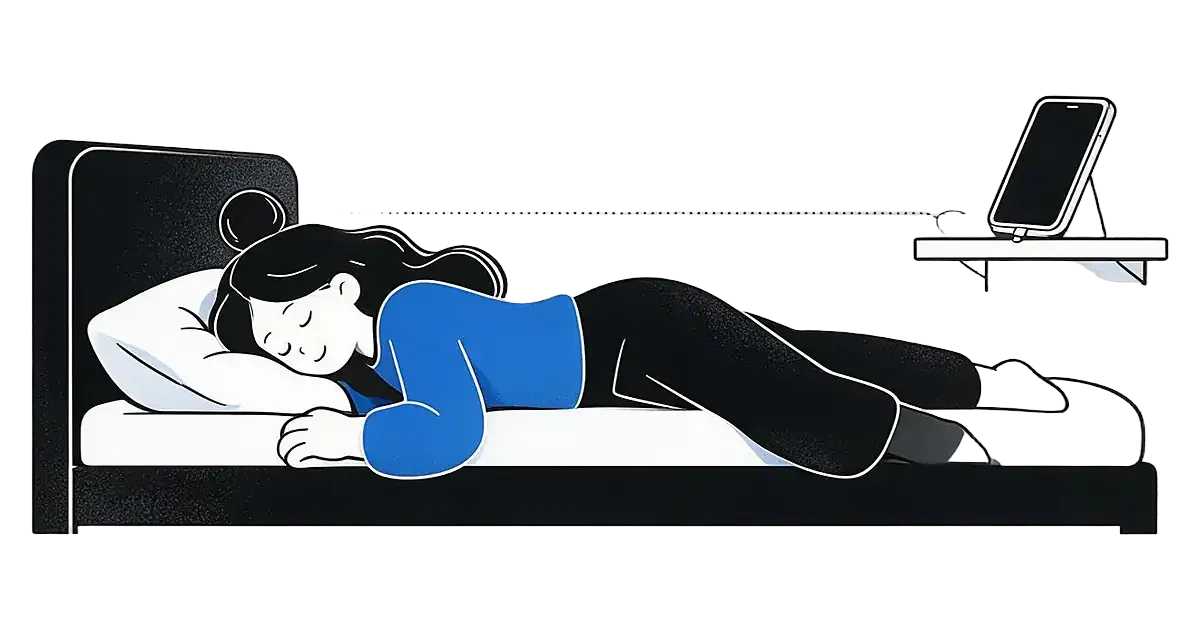
Where should your phone sit if it is also your alarm?
The best spot is the one that passes three checks. You can hear the alarm from your pillow, you can reach it without a scramble, and nothing is covering the phone or its charger. Everything else on this page is a way to get there.

You will find a lot of advice to move the phone to another room. That makes sense when scrolling in bed is the problem. It makes less sense when the phone is also your only alarm, because a sound that cannot reach you is not an alarm. Pick the position for your actual problem first.
| Your priority | A position to try | Check before bed |
|---|---|---|
| Hearing the alarm | A bedside surface with the speaker clear | Listen from your pillow at the scheduled alarm volume. |
| Avoiding instant dismissal | A stable surface just beyond arm's reach | Make sure getting to it does not involve obstacles or tangled cables. |
| Keeping assistance accessible | Within comfortable reach | Prioritize your access needs over advice to put it across the room. |
| Reducing late-night scrolling | A charging spot away from the bed, if safe | Confirm you can still hear and stop the alarm, or use a separate clock. |
How do you test a spot before you trust it?
- Set an alarm a few minutes ahead.
- Lock the phone and lie in your normal sleeping position while awake.
- Include your usual fan or background sound.
- Can you hear the start of the alarm clearly?
- Can you reach the controls without knocking the phone over or untangling a cable?
- Run the test again after you change rooms, cases, chargers or surfaces.

This shows whether the setup works while you are awake. It does not prove the alarm will wake you from deep sleep, and it should not be treated as a guarantee. If the test fails because the alarm never sounds, start with the iPhone alarm not going off checklist. If the sound is faint from where the phone sits, read why an iPhone alarm sounds too quiet. If silent mode or a Focus is the worry, the silent and Focus guide covers what changes.
A quiet tone is the most common reason a good position still fails. A bedside phone with a soft chime can be missed, while a clear sound you recognise at the same distance is not. If you use AlarmiFex on an iPhone, the alarm can ring through silent mode and Focus, and you can pick from 34 sounds across Calm, Energetic, Motivational, Classic and Anime. See how rings-on-silent works for what that does and does not cover. That feature is iPhone only.
Is it better to keep the phone within reach or across the room?
It depends on what goes wrong in your mornings. Three common patterns, each with a different answer:
- You dismiss the alarm half asleep. Put the phone just beyond arm's reach, on a stable surface. Having to sit up and turn toward it gives you a few seconds to wake. If that is your pattern, ways to make an alarm get you out of bed goes further.
- You never hear the alarm. Move closer, not farther. Distance is working against you. Fix the sound and volume before you fix the position.
- You need the phone for access or safety. Keep it within comfortable reach. Advice to put it across the room is a nudge for some people, not a requirement, and your access needs come first.
Across the room can work well when you have a long, tidy path to it and a sound loud enough to carry. It works badly when the path is dark, crowded with cables, or shared with a partner who sleeps lightly. If getting up means stepping over something, choose a nearer spot.
One more trade-off is worth naming. A far phone helps you stay out of bed, but it also asks you to cross a cold, dark room half awake. If that makes you reach for the snooze button the moment you arrive, the distance is not the thing helping you. A routine that gives you something pleasant to walk toward is. A calm morning routine is a gentle place to start.
Is it safe to charge your phone in bed?
Charging a phone overnight is common, and a phone that sits uncovered on a hard surface while it charges is a sensible default. What to avoid is trapping heat. Apple's iPhone safety information says not to sleep on a device, power adapter or wireless charger, or place them under a blanket, pillow or your body, while connected to power, and to keep them in a well-ventilated area. Other manufacturers give similar guidance in their manuals, so check yours.
In practice that means a few small habits:
- Leave the phone and charger uncovered. A pillow or duvet is not a shelf.
- Use a surface that is flat and stable. A narrow ledge or a stack of books can let the phone slide when it vibrates.
- Route the cable away from where you walk, and keep drinks on another surface.
- Stop using a charger or cable that is frayed, bent or unusually hot.
This is general safety information, not a diagnosis of any particular device. If your phone gets hot while charging, unplug it and follow the maker's guidance.
Does the phone's position affect how you sleep?
It can, mostly through what you do with the phone rather than where it sits. If the screen is the last thing you see and the first thing you reach for, you are more likely to scroll. If the room is bright, noisy or warm, sleep can be harder to settle into.
Public health guidance leans on routine and environment rather than a magic distance. The NHS suggests a calm bedtime routine, trying not to use phones, tablets or computers for an hour before bed, and keeping the bedroom quiet, dark and cool, with the phone on silent or face down to reduce light. Note the advice there is about interruptions and light. For a phone you rely on as an alarm, a Do Not Disturb or sleep Focus that mutes notifications while still letting the alarm through gives you the quiet without the risk. NHLBI's healthy sleep habits page makes the same case for a quiet, dark, cool bedroom and a consistent schedule.
So if a nearby screen tempts you, a charging spot a little way from the bed is a fair choice, as long as the alarm still reaches you. If it does not tempt you, there is nothing to fix. Position is a small lever. It will not treat ongoing sleepiness. If you keep missing alarms, look at sleep opportunity and other possible causes before moving the phone again, and see what a Focus does to notifications if you are unsure how yours is set.
What if you share a room with a partner?
A phone on the far side of a partner may wake them before it wakes you. Agree on a position and volume together, and decide who the alarm is for. Some couples keep one phone on the sleeper's side and set the other to a gentler tone.
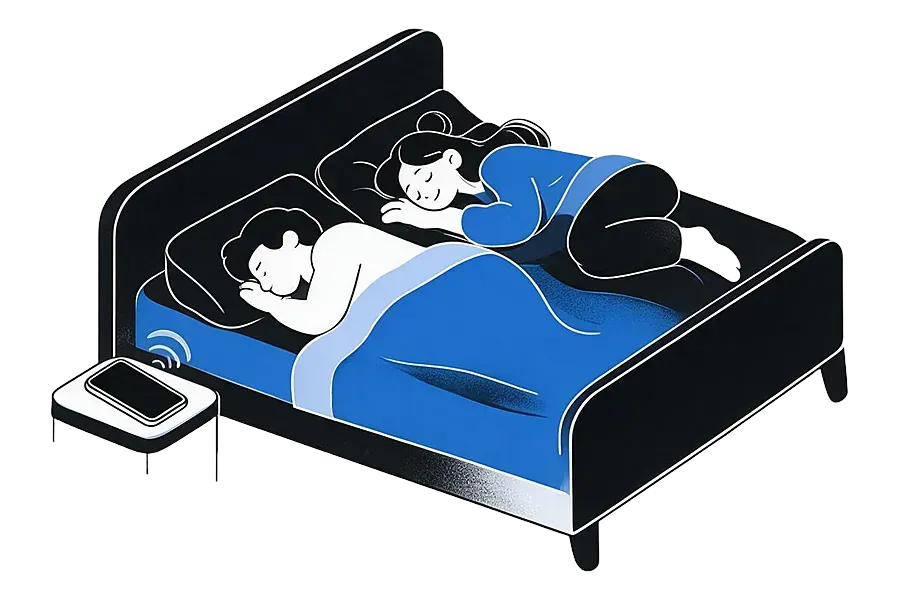
If sound is not a good cue for one of you, look into a vibration alarm or a bed shaker and read its instructions. A phone under the pillow is not an equivalent solution, and it conflicts with the ventilation advice above. Light-based wake-ups are another route; sunrise alarms compared with sound alarms weighs them up.
A separate bedside alarm clock is also a legitimate answer. It leaves the phone free to charge in another room, and the clock does one job. If you go that way, still test it the way you would test a phone.
What is a simple setup to try tonight?
- Pick a flat, uncovered surface within a short reach of the bed.
- Plug in with a cable that is long enough that nothing is pulled tight, and keep the charger clear of bedding.
- Choose an alarm sound you recognise and can hear at the volume you really use.
- Set a short test alarm and listen from your pillow.
- Check any sleep Focus still allows the alarm through.
- Keep it for a week. If you dismiss alarms in your sleep, nudge the phone a little farther. If you miss them, bring it closer or change the sound.
Small adjustments beat a big overhaul. You are looking for the spot that lets you stop the alarm on purpose, not the one that looks best in an article.

Quick answers
Not necessarily. Just beyond arm's reach can help if you dismiss alarms automatically, but moving the phone farther can make the alarm harder to hear or reach. Choose the distance that lets you hear it and get to it safely.
No. Apple advises not placing a phone, power adapter or wireless charger under a blanket, pillow or your body while it is connected to power, and keeping them in a well-ventilated area. Leave both uncovered and route the cable away from walking paths.
Set an alarm a few minutes ahead, lock the phone and lie in your normal sleeping position. Include your usual fan or background sound, then check that you can hear the start and reach the controls without knocking the phone over.
A phone placed past a partner may wake them first. Agree on a position and volume together, and consider a vibration-based alarm or bed shaker if sound is not a suitable cue.
The built-in Clock alarm is designed to sound on an iPhone in silent mode, and Focus settings can be adjusted around it. AlarmiFex also rings on silent and through Focus on iPhone. Either way, run a short test alarm to confirm it on your device.
Make tomorrow morning sound like you
Pick a sound for your mood or import your own. AlarmiFex is free to download on the App Store and Google Play.


Related reading

Why is my iPhone alarm so quiet? How to fix the volume
Your iPhone alarm volume follows the ringer and alert setting, not the media volume. Here are the six usual causes and how to fix each one.
Read more →
How to Wake Up to Your Alarm (When You Keep Sleeping Through It)
If you keep sleeping through your alarm, first check that it rings, then make the sound easier to notice and plan your first move out of bed.
Read more →
Will my alarm go off on silent, Do Not Disturb or Focus?
Yes on iPhone, and usually yes on Android, but a few settings and apps can change that. Here is how to check before tonight, or what to check after a late morning.
Read more →