
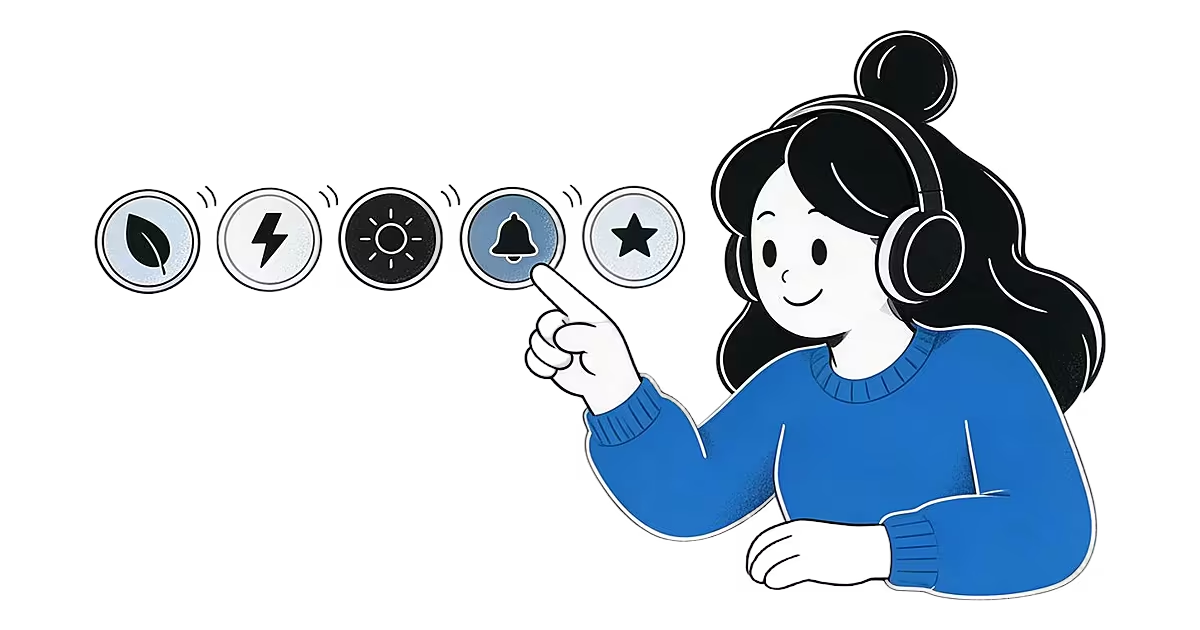
Alarm sounds by mood work like a playlist for waking up. Pick Calm for a slow start, Energetic for momentum, Motivational for a voice that gets you moving. The library holds 34 sounds across five moods, and you can hear each one before you choose it.
Five moods, 34 alarm sounds
Each mood has its own page with every sound listed. Pick the one that matches the morning you want.
- Calm (9 sounds). Soft melodies, birdsong, flowing water and flute. The place to start for gentle alarm sounds.
- Energetic (6 sounds). Bright, upbeat sounds for mornings that need momentum.
- Motivational (12 sounds). Spoken pep talks and uplifting voices that set the tone for the day.
- Classic (4 sounds). Familiar wake tones and melodies.
- Anime (3 sounds). Anime opening-style sounds for fans who want the morning to feel like a first scene.
Prefer to scan everything at once? The full alarm sounds library lists all five moods together.
Gentle alarm sounds and calm alarm sounds
If you want gentle alarm sounds, begin with Calm. It has nine sounds, from a soft good-morning melody and a meditation flute to birdsong and flowing water. Most run between 11 and 53 seconds, so they ease in rather than jolt.
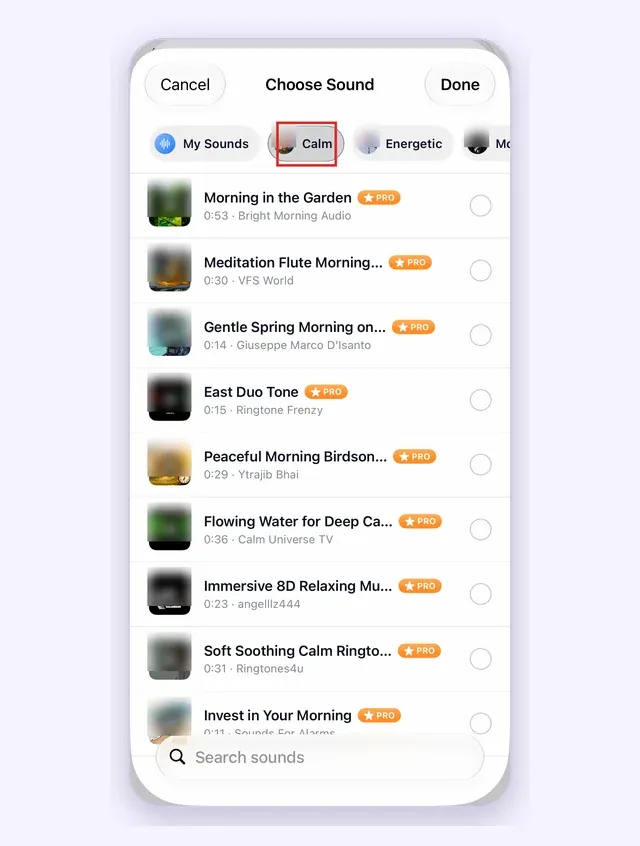
Calm does not mean quiet. Your phone volume and the alarm volume are still yours to set, and a gentle sound at a low volume is easy to sleep through. If that sounds like you, read about alarms for heavy sleepers and mix in a stronger mood on days you cannot be late.
Preview first, then download for offline use
- Browse by mood. Open the Sounds tab and choose a mood.
- Preview. Tap a sound to hear it before you decide.
- Download. The sound is saved on your phone, so it plays with no connection.
- Set it on an alarm. Choose it in the alarm, along with repeat days, a label and snooze.
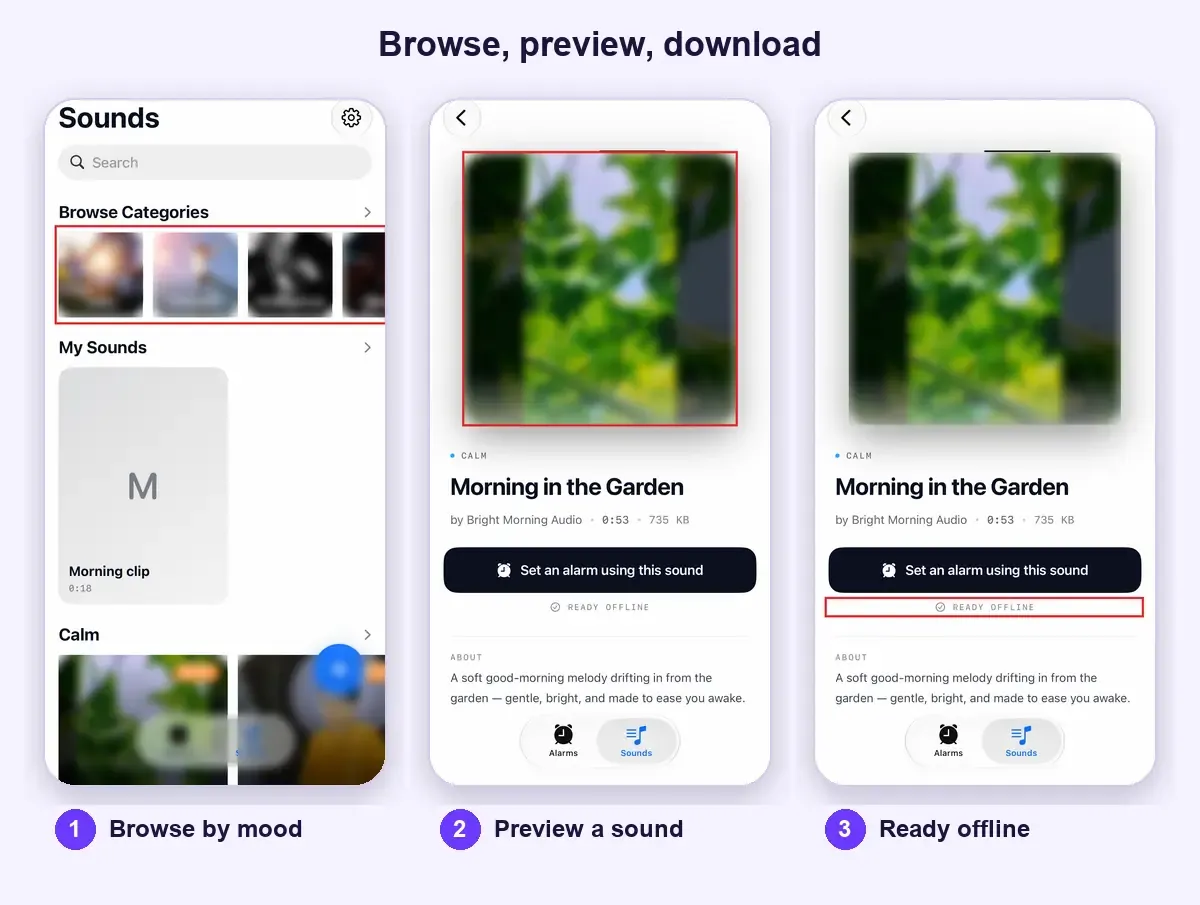
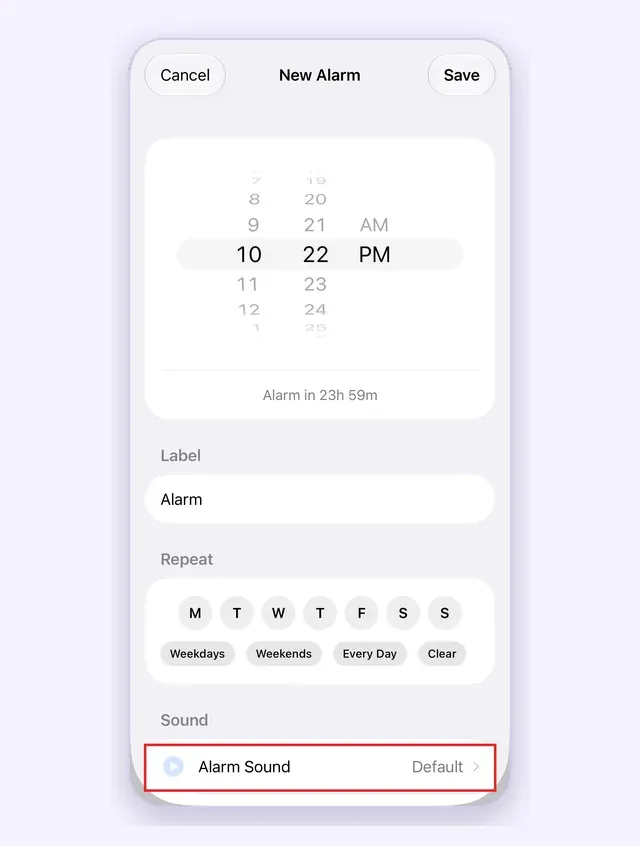
Some library sounds are premium and need a subscription. Previewing helps you decide whether a sound is worth it. On iPhone, alarms also ring on silent and in Focus; see rings on silent.
Keep it fresh, or bring your own
The same sound every day fades into the background. Switch moods when an alarm stops working on you, or let Wake-up Series play different sounds across your wake-up window. Have a clip you love? Import and trim it to up to 1:00.
Questions about alarm sounds by mood
The library has 34 sounds in five moods: Calm (9), Energetic (6), Motivational (12), Classic (4) and Anime (3). New sounds are added over time.
Start with the Calm mood. It holds soft melodies, birdsong, flowing water and flute. Preview a few, because gentle is personal.
Yes. Every sound in the library has a preview, so you hear it before it becomes your alarm.
Yes. A downloaded sound is saved on your phone and plays from that file with no connection. Test your alarm once before you rely on it.
Yes. Import an audio or video clip, trim it to 1:00 or less and give it a title. See custom alarm sounds for the steps.
AlarmiFex is a free download. Premium sounds and custom sounds need a subscription; current terms are shown in the app.
Make tomorrow morning sound like you
Pick a sound for your mood or import your own. AlarmiFex is free to download on the App Store and Google Play.


Related reading

Alarm sounds for every mood, on iPhone and Android
34 wake-up sounds in five moods: Calm, Energetic, Motivational, Classic and Anime. Preview, download and set one on iPhone or Android.
Read more →
Custom alarm sounds for iPhone: wake up to your own clip
Bring in a song you own, a voice memo or the audio of a video, trim the part you want, name it and give it a cover. It becomes your alarm sound.
Read more →
A progressive alarm clock app for iPhone: Wake-up Series
Save one Wake-up Series and AlarmiFex plays several different sounds across a time window, one alarm per sound, for a gentler and harder-to-ignore morning.
Read more →
The best alarm sounds to wake up to (and how to choose)
Melodic, rhythmic sounds look promising in small studies, but no sound wakes everyone. Here is how to pick, set and test an alarm sound, including for heavy sleepers.
Read more →
Alarm Clock App for iPhone That Rings on Silent
An alarm clock app for iPhone built on Apple AlarmKit: rings on silent and in Focus, with a mood sound library, your own clips and Wake-up Series.
Read more →
AlarmiFex: The Alarm App for Android With Sounds You Choose
An alarm clock app for Android built around the sound: pick a mood, bring your own clip, or play several sounds across a wake-up window.
Read more →